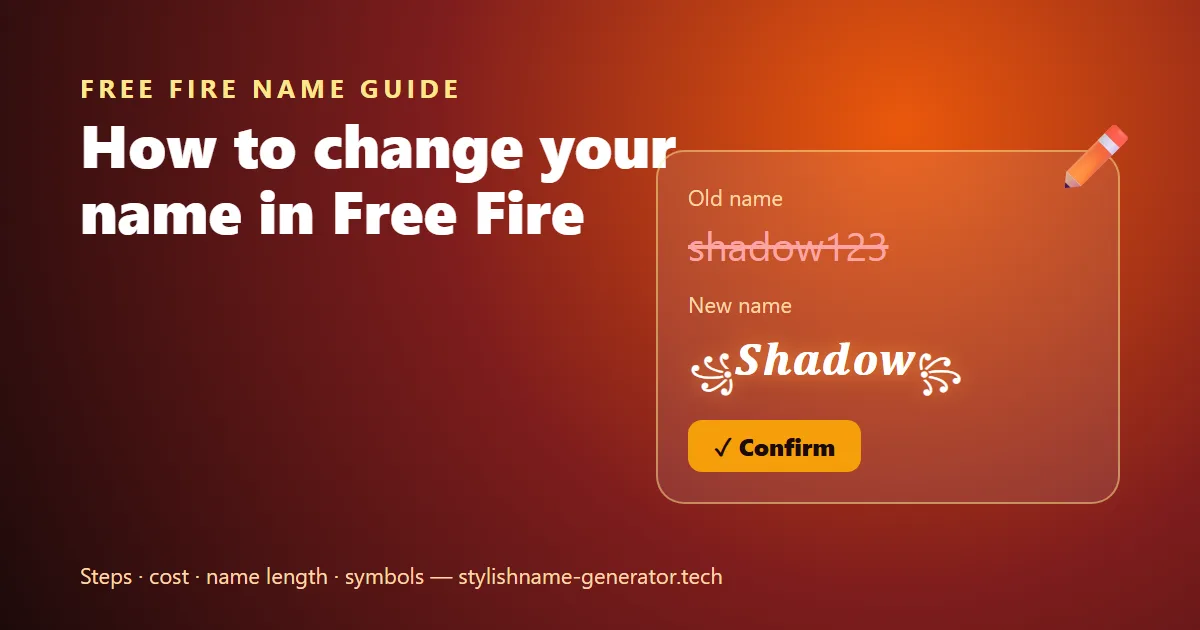
Want to change your name in Free Fire? Maybe your old nickname feels boring, you joined a new guild or you just found a cooler style. The good news: renaming takes less than a minute. The catch: it costs diamonds or a Name Change Card, so it pays to get the new name right first. This guide shows you exactly how.
Quick answer: how to change your name in Free Fire
Tap your profile photo at the top left of the lobby, open your profile, tap the edit button next to your nickname, type your new name and press Confirm. The game takes the cost in diamonds, or uses a Name Change Card if you have one.
1. Before you change your name
Because a rename isn't free, take two minutes to check these first:
- Pick the exact name. Write down two or three ideas, including the symbols you want.
- Check the length. Count every letter, symbol and space. Our Free Fire name generator shows the length of each design.
- Check your diamonds or card. Look in your vault for a Name Change Card before you spend diamonds.
- Have a backup. If someone already has your first choice, you'll need a second one.
2. Steps to change your name in Free Fire
These are the steps Garena describes on its own support site:
- Tap your profile photo in the top-left corner of the lobby.
- Open your profile by tapping the button next to your photo.
- Tap the edit button next to your nickname. A box opens for the new name.
- Type or paste your new name. If you made it with a name generator, long-press the box and choose Paste.
- Choose how to pay and confirm. Use diamonds, or your Name Change Card if you have one, then tap Confirm.
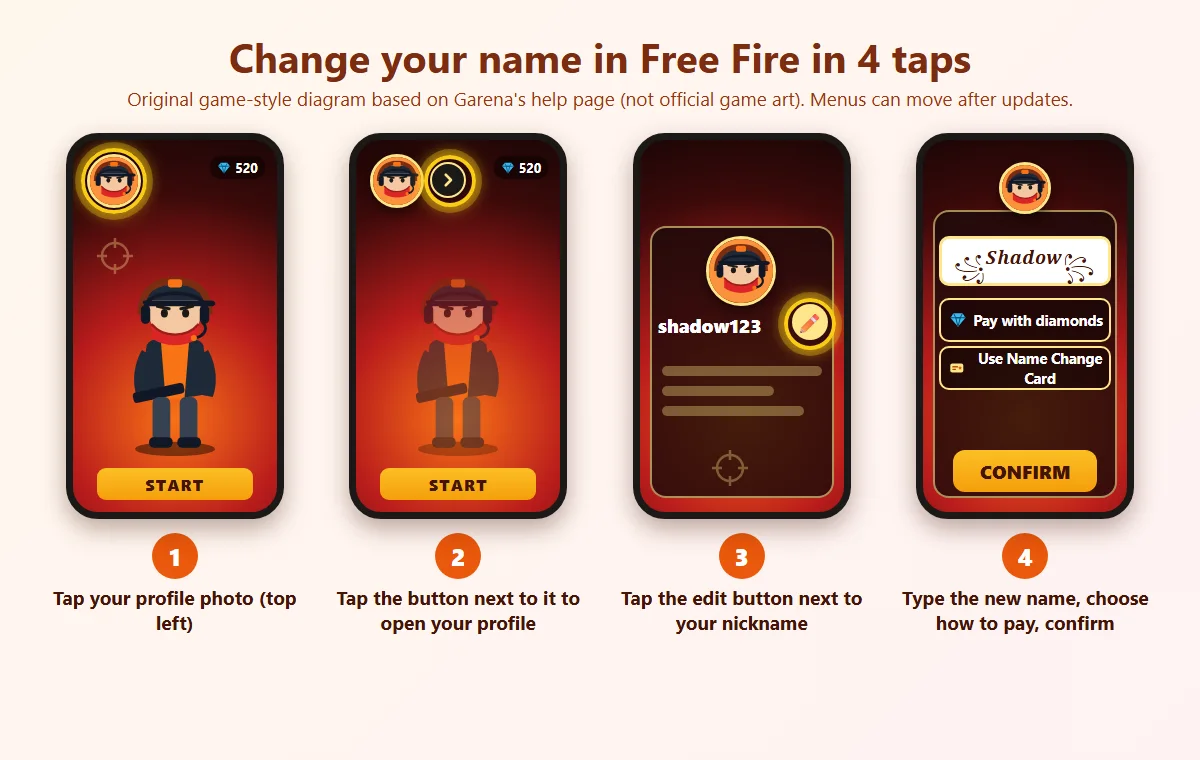
Game updates sometimes move buttons around. If you can't find the edit button, look for a pencil icon on your profile screen.
3. Diamonds or a Name Change Card
Garena's help page says there are two ways to pay for a new nickname:
- Diamonds. The game's premium currency. The rename screen shows how many diamonds the change costs before you confirm. Garena doesn't list a fixed price on its help pages, and prices can change with updates and events, so always check it there.
- Name Change Card. An item that pays for one rename. Garena sometimes gives these out in events, so check your vault and the current events before you spend diamonds.
Be careful with websites or videos that promise free diamonds or free name changes through hacks or modified apps. They break the game's rules and can get your account banned.
4. Changing your name in Free Fire MAX
Free Fire MAX uses the same account as Free Fire. You follow the same steps, and the new nickname shows in both versions of the game: you don't pay twice.
5. Name length and symbols
Free Fire nicknames have a maximum length, and every symbol and space counts towards it. Garena doesn't publish the exact number on its help pages, so our generator uses 11 characters as a guide and marks longer designs. The rename box always has the final say: if it won't let you type more, the name is too long.
Garena also advises avoiding special characters, because some may not show on every phone. In practice, common symbols such as 亗, ꧁ ꧂ and small tags like ᴾᴿᴼ are widely used, but rarer ones can appear as empty boxes to other players. Our guide to stylish name symbols explains where each one comes from and where it shows.
6. Make a stylish name before you change your name in Free Fire
These ideas for the name Shadow were made by our Free Fire Stylish Name Generator and fit within its 11-character guide. Type your own name there to get dozens more.
- ᴾᴿᴼꜱʜᴀᴅᴏᴡ9/11
- ᴷᴵᴺᴳShadow10/11
- 𝙎𝙝𝙖𝙙𝙤𝙬ᴮᴼˢˢ10/11
- 亗𝕊𝕙𝕒𝕕𝕠𝕨亗8/11
- ×͜×𝕊𝕙𝕒𝕕𝕠𝕨8/11
- ꧁𝑺𝒉𝒂𝒅𝒐𝒘꧂8/11
7. Video walkthrough
Prefer to watch? This short video from a gaming channel shows the rename screen step by step.
8. Free Free Fire name planner (PDF)
9. If your new name is refused
- The name is taken. Add a symbol, a number or a tag such as ᴾᴿᴼ, or switch to a different letter style.
- The name is too long. Remove a symbol or a space, or use a shorter frame.
- A character isn't accepted. Replace the rare symbol with a common one, or use plain letters with a single symbol.
- The name breaks the rules. Names with rude, hateful or offensive words are blocked. Pick something you'd be happy for anyone to see.
10. Tips for a great Free Fire name
- Short and readable wins. Squad mates should be able to call you by name in a match.
- One or two symbols are enough. They make the name stand out without using up the limit.
- Match your guild. Many guilds use the same tag or symbol, which makes the squad easy to spot.
- Think long term. A name you love today should still feel right in a year, because changing again costs more diamonds.