
Free · No sign-up · Instant
Fancy Text Generator
Fancy text in one tap: turn any text into bold, italic, script, bubble and other fancy fonts, ready to copy and paste.
Up to 500 characters
Examples shown below. Type your text above to see it styled.
𝐅𝐚𝐧𝐜𝐲 𝐓𝐞𝐱𝐭
Bold
𝐹𝑎𝑛𝑐𝑦 𝑇𝑒𝑥𝑡
Italic
𝑭𝒂𝒏𝒄𝒚 𝑻𝒆𝒙𝒕
Bold Italic
ℱ𝒶𝓃𝒸𝓎 𝒯ℯ𝓍𝓉
Script
𝓕𝓪𝓷𝓬𝔂 𝓣𝓮𝔁𝓽
Bold Script
𝔉𝔞𝔫𝔠𝔶 𝔗𝔢𝔵𝔱
Gothic
𝕱𝖆𝖓𝖈𝖞 𝕿𝖊𝖝𝖙
Bold Gothic
𝔽𝕒𝕟𝕔𝕪 𝕋𝕖𝕩𝕥
Double Struck
𝖥𝖺𝗇𝖼𝗒 𝖳𝖾𝗑𝗍
Sans
𝗙𝗮𝗻𝗰𝘆 𝗧𝗲𝘅𝘁
Sans Bold
𝘍𝘢𝘯𝘤𝘺 𝘛𝘦𝘹𝘵
Sans Italic
𝙁𝙖𝙣𝙘𝙮 𝙏𝙚𝙭𝙩
Sans Bold Italic
𝙵𝚊𝚗𝚌𝚢 𝚃𝚎𝚡𝚝
Monospace
Ⓕⓐⓝⓒⓨ Ⓣⓔⓧⓣ
Bubble
🅕🅐🅝🅒🅨 🅣🅔🅧🅣
Dark Bubble
🄵🄰🄽🄲🅈 🅃🄴🅇🅃
Squares
🅵🅰🅽🅲🆈 🆃🅴🆇🆃
Dark Squares
Fancy Text
Wide
ꜰᴀɴᴄʏ ᴛᴇxᴛ
Small Caps
ᶠᵃⁿᶜʸ ᵗᵉˣᵗ
Tiny
ʇxǝʇ ʎɔuɐɟ
Upside Down
ƚxɘƚ γɔnɒʇ
Mirror
F͚̿ȃ͔ń̩ĉ̞y͙͊ T̞̏e͎͋ẋ̭t̮͂
Glitch
F͚̦͇̿̓̋ȃ͔̟̱͆̏ń̩͈̘̅͂ĉ̞̰͖̉͑y͙̥̻͊̒̆ T̞̰͖̏̑͆e͎̝̯͋̓̐ẋ̭͓̞̌̍t̮͔̟͂́̅
Heavy Glitch
F̶a̶n̶c̶y̶ T̶e̶x̶t̶
Strikethrough
F̲a̲n̲c̲y̲ T̲e̲x̲t̲
Underline
F̷a̷n̷c̷y̷ T̷e̷x̷t̷
Slash Through
F̳a̳n̳c̳y̳ T̳e̳x̳t̳
Double Underline
F̅a̅n̅c̅y̅ T̅e̅x̅t̅
Overline
F̴a̴n̴c̴y̴ T̴e̴x̴t̴
Wave Through
千卂几匚ㄚ ㄒ乇乂ㄒ
Asian Look
ʄǟռƈʏ ȶɛӼȶ
Squiggle
ʄąŋƈყ ɬɛҳɬ
Curly
FДИCУ ΓΞЖΓ
Cyrillic Look
ቻልክርሃ ፕቿሸፕ
Ethiopic Look
F♥a♥n♥c♥y T♥e♥x♥t
Heart Joiner
F⋆a⋆n⋆c⋆y T⋆e⋆x⋆t
Star Joiner
F∿a∿n∿c∿y T∿e∿x∿t
Wave Joiner
F░a░n░c░y T░e░x░t
Block Joiner
F•a•n•c•y T•e•x•t
Dot Joiner
【F】【a】【n】【c】【y】 【T】【e】【x】【t】
Black Boxes
『F』『a』『n』『c』『y』 『T』『e』『x』『t』
Corner Boxes
⟦F⟧⟦a⟧⟦n⟧⟦c⟧⟦y⟧ ⟦T⟧⟦e⟧⟦x⟧⟦t⟧
White Boxes
⦑F⦒⦑a⦒⦑n⦒⦑c⦒⦑y⦒ ⦑T⦒⦑e⦒⦑x⦒⦑t⦒
Angle Boxes
Some characters may not display on every phone, computer or app. If you see boxes (□) or question marks, that device or app doesn't support the style.
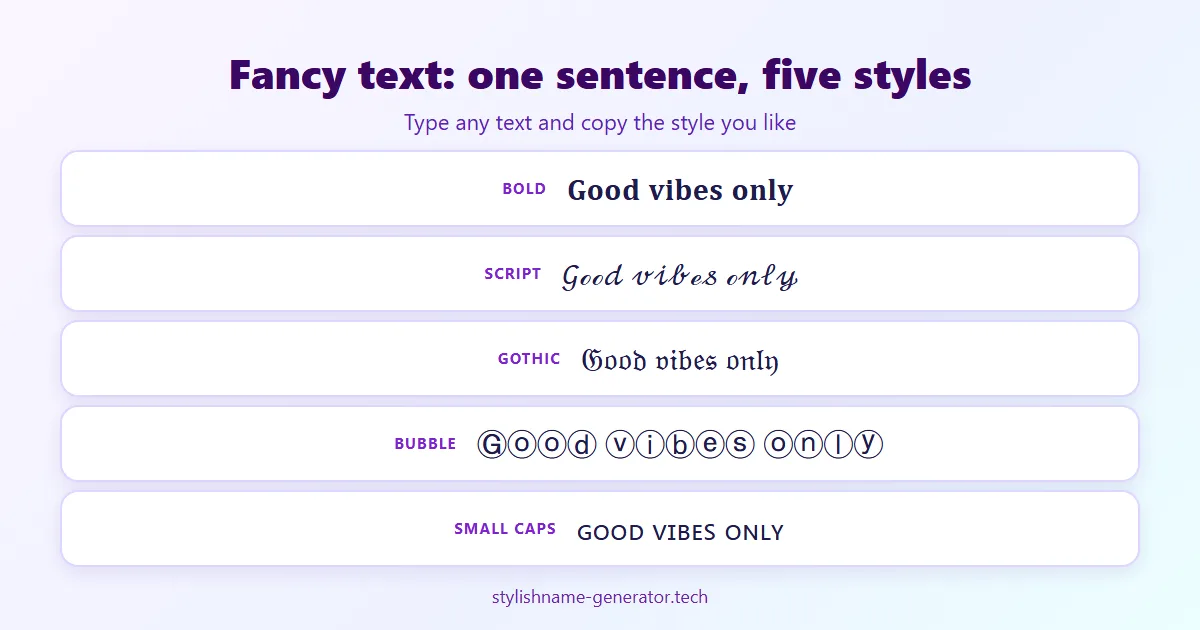
How to use the fancy text generator
- Type or paste your text. It can be a word, a sentence or a few lines.
- Use the filters to show one family of styles, such as Script or Effects.
- Tap Copy next to a style, or Copy all to copy every style shown, each separated by a blank line.
- Paste it into your bio, caption, post or message.
Fancy text or stylish name: which tool do you need?
Use this page when you want to restyle whole sentences: a bio, a caption, a post or a few lines of a message. It shows your full text in every letter style at once and can copy them all together.
Use the stylish name generator when you want to dress up one name with decorations around it, such as crowns, hearts or wings, or when you are typing a name in Bangla, Hindi or Urdu.
Fancy text for bios, captions and messages
A short line in a fancy style makes a profile or post stand out without making it hard to read. These examples were made with the tool above. Copy one as it is, or paste your own words into the box to try every style.
𝓓𝓻𝓮𝓪𝓶 𝓫𝓲𝓰, 𝔀𝓸𝓻𝓴 𝓱𝓪𝓻𝓭
Bio in Bold Script
ᴄᴏꜰꜰᴇᴇ ʟᴏᴠᴇʀ ᴀɴᴅ ʙᴏᴏᴋ ʀᴇᴀᴅᴇʀ
Bio in Small Caps
𝒢ℴ𝓁𝒹ℯ𝓃 𝒽ℴ𝓊𝓇
Caption in Script
𝙒𝙚𝙚𝙠𝙚𝙣𝙙 𝙢𝙤𝙙𝙚: 𝙤𝙣
Caption in Sans Bold Italic
Ⓗⓐⓟⓟⓨ ⓑⓘⓡⓣⓗⓓⓐⓨ, Ⓢⓐⓡⓐ
Message in Bubble
𝔾𝕠𝕠𝕕 𝕝𝕦𝕔𝕜 𝕥𝕠𝕕𝕒𝕪
Message in Double Struck
The five style families
The filters above the results group the styles into five families:
- Serif 𝐒𝐞𝐫𝐢𝐟
- Classic letters with small feet, the most readable choice for names and headings.
- Script 𝓢𝓬𝓻𝓲𝓹𝓽
- Handwriting-style curves that suit soft, elegant bios and captions.
- Sans 𝗦𝗮𝗻𝘀
- Clean letters without feet that look modern and stay clear on small screens.
- Decorative Ⓓⓔⓒⓞⓡⓐⓣⓘⓥⓔ
- Bubbles, squares, gothic, wide, tiny and look-alike letters from other alphabets for a playful or bold look.
- Effects E̶f̶f̶e̶c̶t̶s̶
- Lines through, under or over letters, letters joined by symbols or set in boxes, and upside-down text for fun accents.
Is this a font generator?
Not exactly. Most apps don't let you change the font, and a real font wouldn't travel with your text when you copy it. This tool swaps each letter for a look-alike character from the Unicode standard, such as 𝐀 (mathematical bold A) or 𝒜 (script A). Because these are characters rather than a font, they keep their look when you paste them almost anywhere. That is why people often call this a "font generator".
Prefer letters drawn by hand? Our guide on how to write your name in calligraphy covers pens, strokes and a free practice sheet.
Where does fancy text work?
Fancy text usually works in social media bios, captions, comments, chat messages and display names. It often does not work in usernames, email addresses, passwords or web addresses, which normally allow only plain letters and numbers. Some apps also replace or remove characters they don't support, so check the preview before you post.
Each style changes only the English letters A to Z, and sometimes the numbers 0 to 9. Punctuation, emoji and letters from other alphabets stay the same.
Use fancy text with care
- Screen readers, which blind and partially sighted people use, may read each fancy letter by its character name or skip it. Keep important information in plain text.
- Search inside apps usually treats 𝐡𝐞𝐥𝐥𝐨 and hello as different words, so people may not find posts written entirely in fancy text.
- Never use fancy characters in phone numbers, links or prices. They can look right but won't work.
Fancy text works best as a short accent, such as a name or a heading, rather than for long paragraphs.
Fancy text questions
Is the fancy text generator free?
Yes. Paste as much text as you need, up to 500 characters at a time, and copy any style without paying or creating an account.
Can I use fancy text in my Instagram or TikTok bio?
Usually yes. Bios, captions and comments on most social apps accept these characters. Your @username normally does not, so keep that in plain letters and use fancy text for the bio itself.
Why did some of my characters stay the same?
The styles in this tool change only the English letters A to Z and, in some styles, the digits 0 to 9. Commas, emoji and letters from other alphabets are left exactly as you typed them.
How do I copy every style at once?
Tap Copy all above the results. It copies every style currently shown, with a blank line between them, so you can paste them into a note and choose later.
Will my fancy text look the same on every phone?
Not always. The look comes from the fonts installed on each device, so a style that is clear on your screen may be thinner, wider or replaced by boxes elsewhere. Simple styles such as Bold and Italic tend to display on more devices than unusual ones.
Related tools
- Stylish Name Generator — Style a single name with symbol frames like ꧁ ꧂ and ★彡.
- Free Fire Stylish Name Generator — Build a gaming nickname and check its length.
- Nickname Generator — Get new nickname ideas from your name.